Overview
Before anything else, it is important to understand what the plugins shown in the screenshot above are used for.
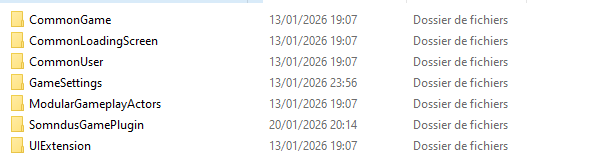
Common Plugins
The following plugins (CommonXXX, GameSettings, UIExtension, ModularGameplayActors) are the plugins used in Lyra to implement, through CommonUI, advanced multi-platform, gamepad, and settings features.
They rely heavily on a C++ foundation, which is required to properly handle platform-specific compatibility constraints, especially for settings.
For example, some settings do not exist on certain platforms, so they must be handled in a clean and fully dynamic way.
This system also manages the loading screen.
SomndusGamePlugin
My plugin, which:
- Implements the minimum required functionality to make the previous plugins work correctly (as used in Lyra)
- Provides features and utilities that I use in my games for console porting and gamepad compatibility
- Includes additional utilities to avoid redundancy or features that I implement at a minimum level in any type of game
Inspection
As a first step, we can inspect the default maps used to make the base systems work.
The following maps are UI-only maps:
- Map_TitleScreen
- Map_SplashScreen
Game Mode
In the example of the Map_TitleScreen, we can inspect the Game Mode:
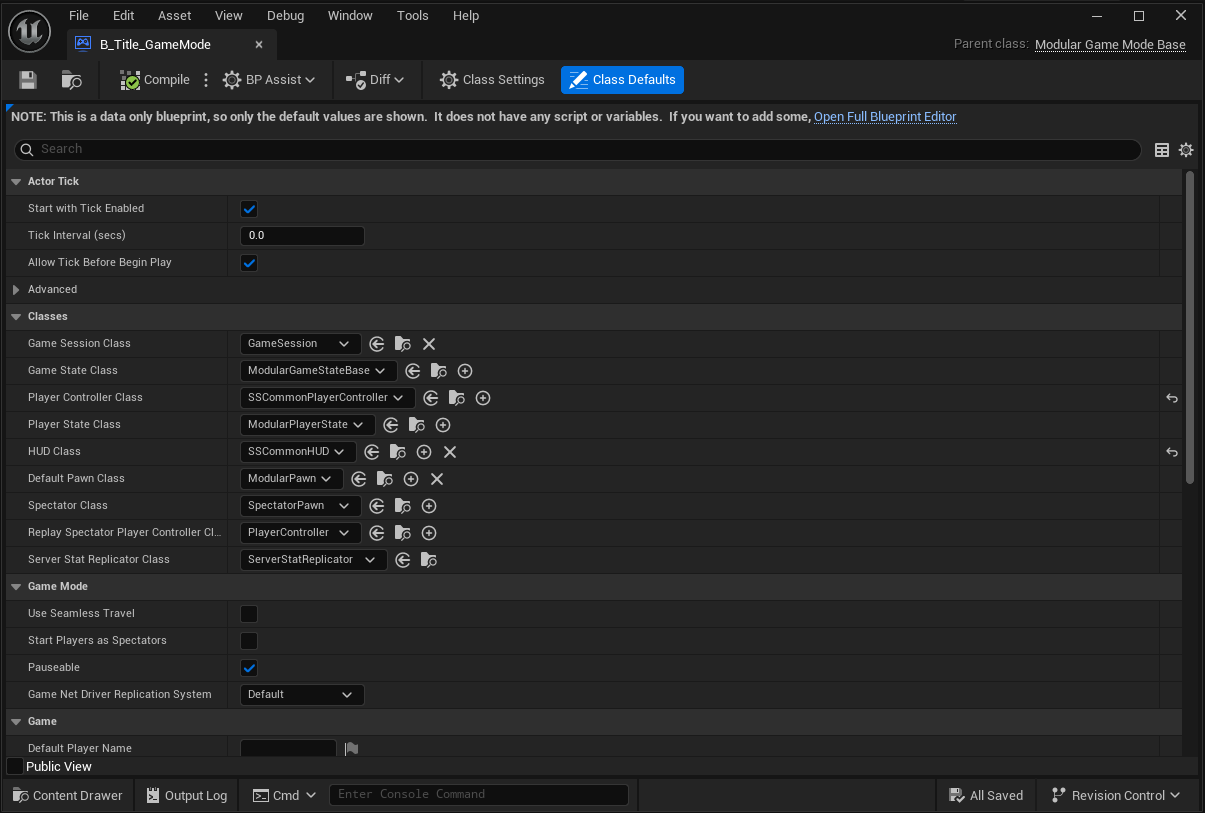
Basically, in my template, classes must inherit at least from the one shown in the Game Mode to ensure proper functionality of the template, which has dependencies on several plugins.
I will not go into details here, but this is how we can take full advantage of CommonUI and Lyra plugins.
Testing Base Third Person
To see a very basic and simple example of a Third Person setup, you can take a look at the Map_ThirdPerson map.